Stick War Legacy Mod Menu: Every Toggle Explained (2026 Guide)
The eleven-minute mistake most new mod users make
You know what kills a great game faster than anything? Winning too easily.
It goes like this. You find the mod menu, turn every toggle on at once, and spawn 999 Speartons in one laggy blob. The boss dies before its health bar even loads. Victory screen. Eleven minutes. Done.
And then? Nothing. You feel nothing. That is the trap.
So no, this is not a cheat collection. It is a control panel. Used with restraint, it is one of the best learning tools the game has. Used wrong, it deletes the fun in a single sitting.
This guide covers every toggle, safe installation, and my recommended settings per game mode. I will also give you the honest picture on bans and malware, because most guides sugarcoat both.
The short version: what this guide covers
You will learn what the stick war legacy mod menu is and why it beats a plain mod APK. You will get a plain-English breakdown of every major toggle. God mode, one-hit kill, unlimited resources, 999 army, fast build. All of it.
You will also learn how to install it in under five minutes on any Android phone. No root needed. Zero technical skills required. The steps are almost embarrassingly simple.
Here is my honest take. Most players think the mod menu exists to make the game easy. I think it exists to make the game yours. The official game has an economy that nudges you toward purchases. The menu hands you the dials.
You will get the real safety picture too. Offline use carries effectively no ban risk. The danger is the download itself, not the developer. Grab the wrong file and malware does the damage, not a ban.
Inside: installation, every toggle, best settings per mode, safety, and ban risks. Not inside: iOS workarounds and multiplayer tricks, because neither exists.
What exactly is the Stick War Legacy mod menu?
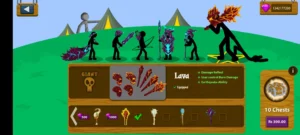
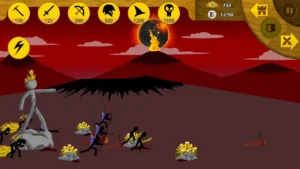
The Stick War Legacy mod menu is an in-game control panel bundled with the mod APK. It appears as a floating icon during battles. Tapping it opens toggles for god mode, one-hit kill, unlimited gems and money, the 999 army option, and fast build. You can switch each cheat on or off at any time, even mid-battle.
A regular mod APK gives you unlimited resources permanently, whether you want them or not. The menu gives you switches. Want a fair fight with a little help? Turn on unlimited gold but leave god mode off.
The layout varies slightly between mod versions. Most show a small icon in the screen corner. The battle keeps running behind the panel, so toggle fast. Linger too long reading descriptions and your statue might not survive the session.
How do you get the mod menu in Stick War Legacy?
You get the mod menu by downloading the Stick War Legacy mod APK that includes it. Download from a trusted source, allow unknown app installs, and install the file. The menu icon appears automatically on next launch.
The exact process takes about five minutes.
- Download the mod APK file from our homepage where you can grab the mod APK with the menu built in.
- Open Android Settings, go to Security, and allow installs from unknown sources.
- Find the file in your file manager and tap it.
- Tap Install, wait, then launch the game.
- Look for the floating menu icon during any battle.
No root needed. If you are new to the game, start with our beginner’s guide first. The menu is more fun when you understand the basics.
What if the menu icon does not appear?
First, confirm you installed the mod version, not the official game from the Google Play Store. They look identical. Second, check the display-over-other-apps permission, since some launchers hide overlay icons. Third, try volume down mid-battle, as a few versions use a button shortcut. If nothing works, reinstall from a source that lists the menu as a feature.
What does every mod menu toggle actually do?
Toggle names shift slightly between mod versions. The functions stay the same.
God Mode
God Mode makes your units invincible. In practice it removes every decision from the game. Its one real use? Studying a new boss’s attack pattern without pressure. Ten minutes, then off.
One-Hit Kill
This is the toggle I warn everyone about. It makes every attack lethal and turns strategy into a coin flip. Nights that used to take an hour end in minutes. You will remember nothing about them. That should tell you everything.
Unlimited Gems and Money
The quiet heroes of the stick war legacy mod menu apk scene. Unlimited money lets you test army compositions you could never afford officially. Unlimited gems lets you preview every skin. For which skins are actually worth unlocking first, that guide will save you from the usual early mistakes.
999 Army
The famous one. It removes the population cap for absurd battles. What nobody tells you: most phones cannot handle it. Expect single-digit frame rates past a few hundred units. Spectacular for screenshots, then the lag reminds you why caps exist.
Fast Build
Fast Build removes training timers and makes upgrades instant. It does not make you stronger. It just removes waiting. Of all the toggles, this is the one worth leaving on most. Life is too short for progress bars.
Is a mod menu better than a regular mod APK?
Yes, and I will die on this hill. A regular mod APK bakes cheats in permanently. Unlimited everything, all the time, no choice. That is exactly the eleven-minute trap from the intro.
The stick war legacy mod menu apk respects you as a player. Some nights you want a pure challenge. Some nights you have twenty minutes and want to test a Giant rush. The menu lets you choose per battle, per mood.
Strategy games are about decisions under constraints. Delete all constraints permanently and no decisions remain. The menu lets you tune constraints instead of erasing them. That is why I recommend the menu version to every new player, even purists. You can play it clean and never touch a toggle.
Is the mod menu safe? Can you get banned?
Here is the answer most guides will not print. In offline modes, ban risk is effectively zero. The modded build does not connect to official servers, so there is no account activity to flag. The real danger is malware from shady download sites, not punishment from the developer.
Now the blunt part, because this matters more. The download is where people get hurt. A random site with seventeen download buttons can bundle junkware with the file. One bad install and your phone is showing junk ads for a week. That is the real cost of a careless download.
How to stay safe:
- Download only from sites you trust, with a real reputation and contact page.
- Check the file size first. A proper mod build runs around 150 MB. A 40 MB file is not what it claims to be.
- Scan every APK with antivirus before opening it. Thirty seconds of effort.
- Never grant permissions the game does not need. A strategy game does not need your contacts.
For the full checklist, our FAQ covers every common worry in plain language. And no, the menu cannot touch online multiplayer. Anyone selling a multiplayer mod menu is selling fiction.
What are the best mod menu settings for campaign mode?
For the classic campaign across Inamorta, less is more. My setup: unlimited money ON, fast build ON, everything else OFF. Unlimited money lets you experiment against each nation’s unique army. The Swordwrath hordes punish passive play. God mode stays off because the difficulty curve is genuinely well designed.
What are the best mod menu settings for Endless Deads?
Endless Deads is about endurance. My setup: unlimited money ON, fast build ON, god mode OFF unless I am testing. The mode rewards smart roles. Miners for economy, Speartons up front, Archidons behind, Magikill for crowds, and a Meric for poison waves.
My personal rule: god mode is for scouting only. When a new zombie type wipes you, replay with god mode on just to study it. Then turn it off and beat it fair. For the full night-by-night strategy, that guide pairs perfectly with these settings.
Should you use the mod menu in tournaments?
No. This is not just opinion, it is technical fact. Tournament servers validate your client, and modded clients typically cannot pass those checks. Multiplayer stays off limits either way. Anyone promising tournament cheats wants your login details.
I will go further. Even in offline practice, keep every toggle off. Tournaments measure skill honestly. The moment the menu touches that, the measurement means nothing.
Frequently asked questions
How to get mod menu in Stick War Legacy?
Download the mod APK version with the menu, allow unknown app installs, and install the file. The icon appears automatically in battles. Five minutes, no root.
Is the Stick War Legacy mod menu free?
Yes. Every version out there is free. If a site asks you to pay or complete surveys to unlock it, leave immediately. That is a scam, not a paywall.
Does the mod menu work on iPhone?
No. The menu only exists in the Android mod APK. iOS players need the official App Store version, which has no menu.
Can I get banned for using the mod menu?
Not in offline modes. The mod runs disconnected from official servers, so there is no account activity to punish. The real risks are malware from bad sites and losing online features.
What is god mode in the mod menu?
God mode makes your units invincible. It is useful for studying boss patterns without pressure, but it removes all challenge, so most players get bored fast.
Does the mod menu work offline?
Yes, completely. You only need internet for the initial APK download from our homepage. Campaign, Endless Deads, and missions all run without a connection after that.
Why is my mod menu not showing up?
You likely installed the official game or a plain mod without the menu. Reinstall the correct version from a trusted source. Also check overlay permissions in Android settings.
What is the 999 army option?
It removes the population cap so you can field up to 999 units. Spectacular and laggy in equal measure. Treat it as a fun experiment, not a strategy.
Does the mod menu work in multiplayer?
No. The modded client cannot reach official servers, so multiplayer and tournaments are unavailable. Anyone claiming otherwise is lying. The menu is for offline single-player only.
Do I need root for the mod menu?
No. The mod APK installs like any normal app once you allow unknown sources. No root needed.
The menu is a mirror, not a cheat
Eleven minutes of god mode teaches you something two weeks of grinding never could. The fun was never the resources. It was the decisions. Every toggle just moves the line between tedium and challenge. Only you know where your line sits.
Start conservative. Unlimited money and fast build will transform your experience without hollowing it out. The moment a setting makes you feel nothing at the victory screen, turn it off.
New here? Grab the Stick War Legacy mod apk here and read our beginner’s guide before your first campaign. Your future self will thank you.
One question before you install. Which toggle would you refuse to turn on? Answer honestly. That answer tells you what you actually enjoy about the game.
| Toggle | What it does | Best for | My verdict |
|---|---|---|---|
| God Mode | Units take no damage | Learning boss patterns | Useful, then boring |
| One-Hit Kill | Attacks deal massive damage | Speedrunning campaign | Ruins the game fastest |
| Unlimited Gems | Gems, gold, and diamonds never drop | Testing skins and armies | Genuinely great |
| 999 Army | Removes the population cap | Chaos and screenshots | Hilarious exactly once |
| Fast Build | Instant training and upgrades | Skipping early grind | Quality of life win |