Stick War Legacy Mod APK Not Installing? Fixes and a Safety Checklist
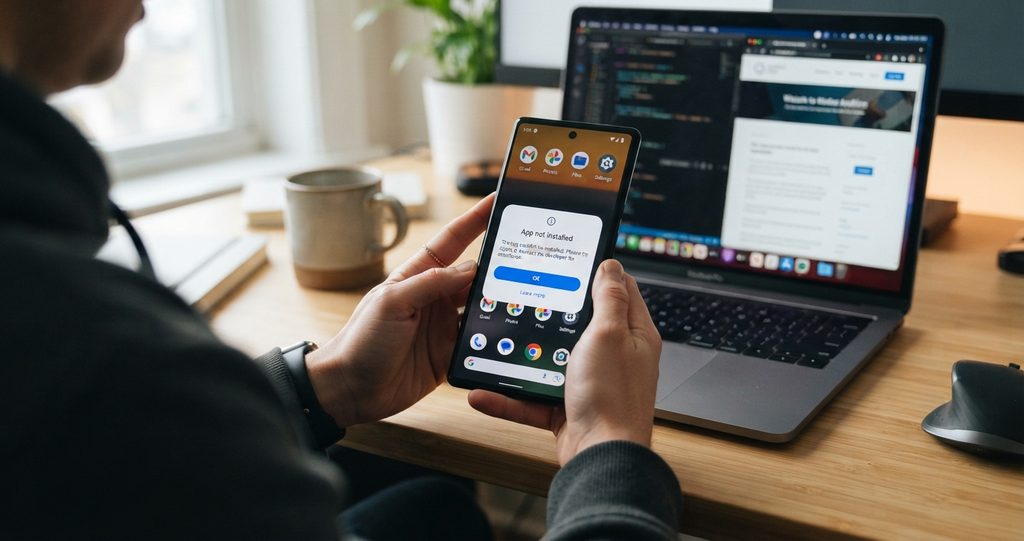
Stick War Legacy mod APK not installing? The cause is almost always one of three things. Short answer first. When the Stick War Legacy mod APK will not install, the cause is almost always one of three things. The official game is still on your phone and the two files clash. The download is incomplete or corrupt. Or your phone is blocking installs from outside the Play Store. All three are fixable in a few minutes. Work through the fixes below in order. Most players only need the first one.
Stick War Legacy Mod APK Not Installing: Why It Clashes With the Official
Android checks the signature of every app before it installs. The official Stick War: Legacy from the Play Store carries the developer signature. A mod APK is signed again by whoever modified it, so the signature is different. When Android sees the same game arriving with a different signature, it refuses the install. That refusal is the famous “App not installed” error. It is not your phone being difficult. It is Android doing its job.
Fix 1: Remove the official game first
This one fix solves most failed installs.
- Back up nothing. There is nothing to back up, because Stick War: Legacy saves your progress on the phone itself, inside the official install.
- Uninstall the official game from Settings, then Apps, then Stick War: Legacy.
- Restart the phone. This clears leftover files that sometimes linger.
- Install the mod APK.
Be honest with yourself before you do this. Uninstalling the official game deletes its local save. Your campaign progress in the official version goes with it. If that progress matters to you, finish what you want to finish first, or keep the official game and skip the mod.
Fix 2: Allow installs from your browser or file manager
Android blocks APK installs by default. You need to allow the app you are installing from.
- Open Settings, then Apps, then Special app access, then Install unknown apps.
- Pick the browser or file manager you will open the APK with.
- Turn on “Allow from this source”.
- Open the APK file and install.
The exact menu names shift a little between phone brands. The setting is always there. Look under Security or Privacy if you cannot find it.
Fix 3: Download the file again
A download that stopped halfway gives you a broken file, and a broken file gives you errors like “Problem parsing the package”. Download the APK again on a stable connection and install the fresh copy. Check the file size before you install. A genuine Stick War Legacy mod build is around 150 MB. A file of 20 or 40 MB is not the game, whatever the page that sent it claims. Delete it and walk away from that source.
Fix 4: Free up space before you install
The installer needs working room above the size of the file itself. Keep at least 200 MB free, and more is better. If installs keep failing near the end, space is the usual reason. Clear cached files, remove an app you no longer use, then try again.
Fix 5: Check your Android version
The mod needs Android 5.0 or higher. On a very old phone the install can fail with no clear message. Check your version in Settings, then About phone. Below 5.0, the game will not run, and no fix on this page changes that.
Fix 6: Read the Play Protect warning properly
Google Play Protect scans apps installed from outside the Play Store. It may warn you about the mod or pause the install while it checks. A warning on a modified game file is expected, because the signature does not match the Play Store version. What matters is where the file came from. If you downloaded it from a source you trust and the file size is right, the warning is the signature check doing its job. If the file came from a page full of fake download buttons and pop ups, treat the warning as your last clear chance to stop.
The safety checklist before you install any build
Run these checks every time, not only when an install fails.
- The file is around 150 MB. A much smaller file is the wrong file.
- The version matches the current one, V2026.1.196. Old builds carry old bugs and old fixes.
- Scan the file with antivirus before you open it. Thirty seconds of effort.
- The game should never ask for your contacts, messages, or call history. A strategy game needs none of them. If it asks, stop.
- Never pay for a mod and never complete a survey to unlock one. Every real version is free. Payment and survey gates are scams.
- Get the file from one place you trust, the same place you would send a friend. Our download sits on the Stick War Legacy Mod APK.
When to skip the mod
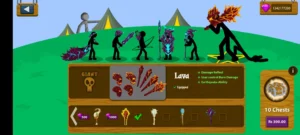
Skip it if every fix fails and the file came from a source you cannot verify. Skip it if keeping your official campaign progress matters more than unlimited resources. The official game is free on the Play Store and it is the right choice for plenty of players. A mod is a trade. You give up official updates, cloud saving, and online features. In return you get unlimited gems and gold, every skin unlocked, and the mod menu toggles. Know what you are trading before you install anything. The mod menu guide explains every toggle if you want the full picture first.
FAQs
Why does my phone say “App not installed” for the mod APK?
Because the official game is already installed and the two files carry different signatures. Android will not place one over the other. Uninstall the official game, restart the phone, and install the mod again.
Will I lose my progress if I uninstall the official game?
Yes. Stick War: Legacy saves progress on the phone, inside the official install. Uninstalling deletes that save. There is no cloud copy to restore from, so decide before you remove it.
What does “Problem parsing the package” mean?
It means the file is incomplete, corrupt, or not a real APK. Download it again on a stable connection and check that the size is around 150 MB before installing.
Can I install the mod without removing the official game?
No. The signature clash makes Android refuse it every time. One version of the game can live on the phone, not both. Pick the one you actually want to play.